

Product Description
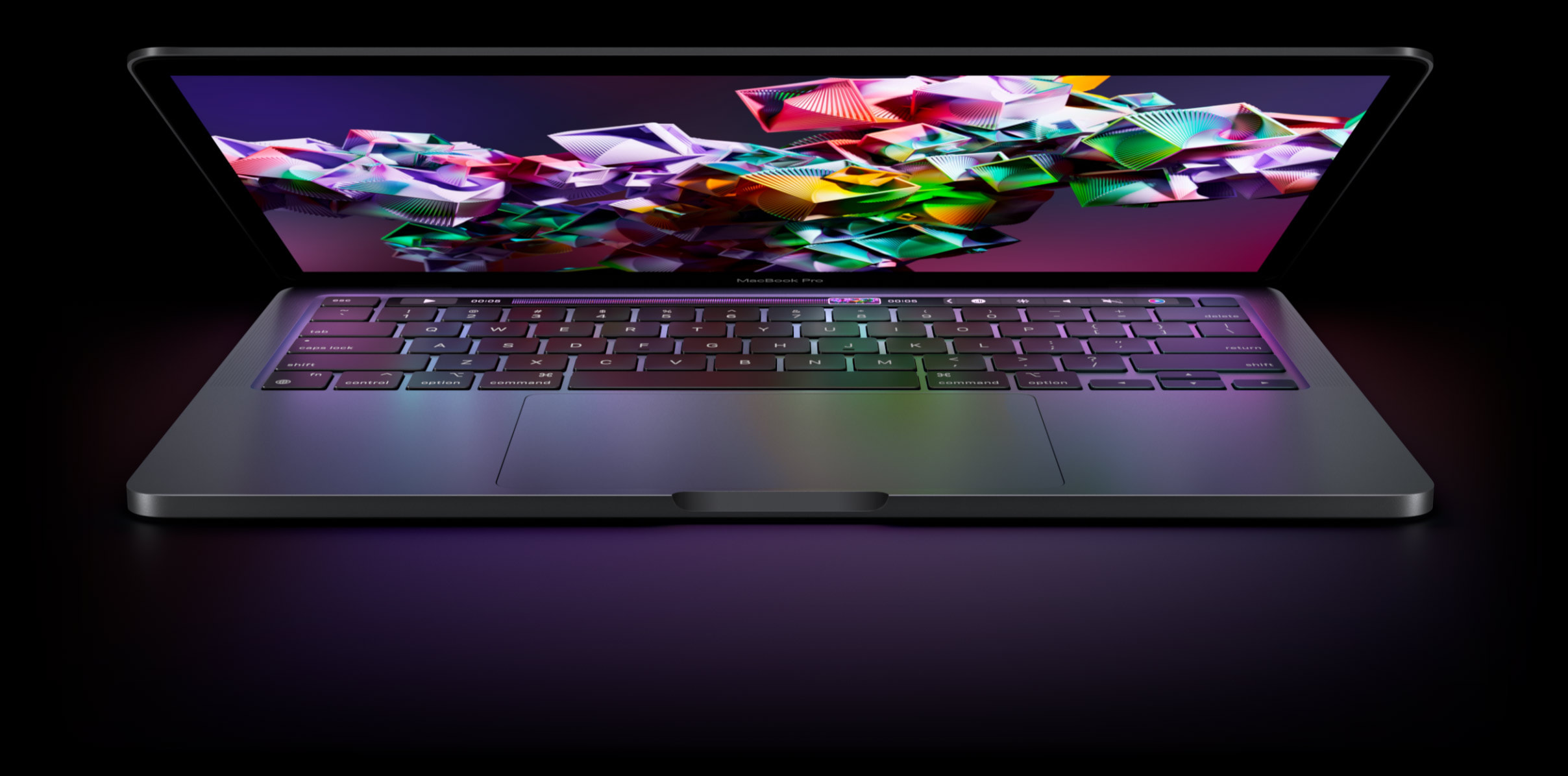
Microsoft Office Home 2024 delivers the essential tools you need to create, organize, and accomplish tasks at home or school. This one-time purchase includes classic desktop versions of Word, Excel, PowerPoint, and OneNote, designed for installation on a single Windows laptop, desktop or Mac device. Whether you’re writing essays, managing budgets, or preparing presentations, Office Home 2024 helps you stay productive.
Product Videos

Brands in this category on Amazon
Sponsored


Manufacturer Information


Keep your day running smoothly
Speedy performance, a seamless experience when switching between apps, and enhanced search functionality help you stay on task.

Enjoy enhanced functionality
Enhance your presentations, documents, and notes with improved app performance, new features, and additional accessibility functions.

Track household projects or milestones to a personal goal
Create dynamic charts in Excel to understand your data and keep your thoughts organized in OneNote.
Compare Microsoft Office Home 2024
 Office Home 2024 |  Microsoft 365 Personal |  Microsoft 365 Family |  Office Home & Business | |
|---|---|---|---|---|
|
Customer Reviews
|
4.0 out of 5 stars 1,642
|
4.2 out of 5 stars 11,367
|
4.2 out of 5 stars 2,903
|
4.0 out of 5 stars 1,015
|
|
Price
| $179.99 | $99.99 | $129.99 | $229.99 |
|
Type of purchase
| One-time purchase | 12-month subscription | 12-month subscription | One-time purchase |
|
Number of people
| For 1 device | For 1 person | For up to 6 people | For 1 device |
|
Use on more than 1 device
| ✘ | ✔ | ✔ | ✘ |
|
1 TB cloud storage
| ✘ | ✔ | ✔ | ✘ |
|
Premium features & updates
| ✘ | ✔ | ✔ | ✘ |
|
Data & device protection
| ✘ | ✔ | ✔ | ✘ |
|
Includes Outlook
| ✘ | ✔ | ✔ | ✔ |
Brand in this category on Amazon

Protection Against Text, Email & Video Scams
Shop McAfeeShop now 

$24.99

Ends in 18:16:01
$19.99
$119.99
(83% off)
Limited time deal
$39.99
$149.99
(73% off)Sponsored

Brief content visible, double tap to read full content.
Full content visible, double tap to read brief content.
Product Videos
Belia Alvarez
Earns commissions
Customer ReviewMicrosoft 365 Personal 12 month SubscriptionSee Full Review
Brands in this category on Amazon
Sponsored

 Protection Against Text, Email & Video Scams
 Built for Tomorrow's AI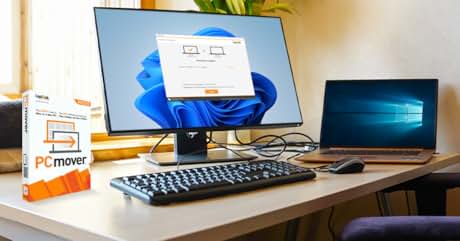
 Move apps, files and settings. Cable included.
Customer reviews
4 out of 5 stars
1,642 global ratings
How customer reviews and ratings work
Customers say
Customers find Microsoft Office to be the best program on Earth, with Excel being particularly praised as an excellent presentations program. The software is straightforward to use, and customers appreciate that it saves the cost of yearly renewal. However, customers report mixed experiences with installation, functionality, and download speed, with some successfully installing and using it while others struggle with these aspects. Compatibility is also mixed, with some customers reporting incompatibility with their devices.
AI Generated from the text of customer reviews

Select to learn more
54 customers mention product quality, 39 positive, 15 negative
This is a great product and was easy to install. About 5 Minutes. No subscriptions, you just own it.
Good product and keeps me out of the cloud and subscription plans. However there is a big bad bug on this sales page so be aware....
...We want our money back. Worst product ever . So confusing and terrible. Give us our money back!
...Great Microsoft software.
41 customers mention ease of use, 30 positive, 11 negative
...No real upgrades from the last time I purchased it. Easy to use. Just a little confusing on how to download.
...The interface of each app is intuitive and user-friendly, staying true to the high standard I’ve come to expect from Microsoft....
Am disappointed with this 'upgrade.' Much less user friendly than the old 2007 version I had been using....
Simple....
17 customers mention use, 16 positive, 1 negative
...This package includes all the classic apps: Word, Excel, and PowerPoint, which are essential for both my personal and professional projects....
...For only $50 more than the annual fee of $99, I have everything I need for my home computer, without having to go online for some elements of word...
It has everething you need for home use and more, it has a learning curve but so is other similar software. I also like it because no yearly fees.
...I’ve been using Word for document creation, Excel for managing data, and PowerPoint for presentations, and everything works smoothly....
128 customers mention functionality, 57 positive, 71 negative
Doesn’t work
...But, works great and fully functional. This Black Friday deal saved me $150!!!
I try to download and it says digital key used. It does not work...
It works as expected and is perfect for my needs. I needed the installed suit because I'm often at a cabin in the woods with no internet service
125 customers mention ease of installation, 57 positive, 68 negative
Was unable to install. Need macOS Version 13.0 or later!
It was easy to install and all my prior settings carried over. It is much more economical, in my opinion, than having to pay for a subscription....
Impossible to install… get error messages… Microsoft is trying to force me to NOT CANCEL THE 365 subscription, so they are making it extremely...
Nice. Easy install and was the Apple version backward compatible with a very old Windows Office version.
60 customers mention value for money, 37 positive, 23 negative
Just what we needed at a great price and FAST deliverry
Unable to download it. It's a waste of money. I'm going to dispute this charge with my credit card company. Amazon customer service is 'USELESS!',...
Best price.
...Good purchase and product for new computer setup.
49 customers mention download speed, 27 positive, 22 negative
...I switched and used Discover and the purchase went right through. Easy download and install on my new computer with Win 11 Pro....
This is a piece of junk and could NOT get it to download...kept saying it was already downloaded, but did not.
Downloaded quickly, works flawlessly on my new laptop.
Difficult to download. Confusing instructions for a novice user. Had to get technical assistance to download.
21 customers mention compatibility, 7 positive, 14 negative
There is no option for cancellation? it is not working and not compatible with my computer. Please help. Thanks.
...It recognized my key with no action from me. The programs opened seamlessly. Typically I only replace laptops every 4-5 years....
Not compatible and Not refundable?...
Be aware that this version is only compatible with OS13 or newer. OS compatibility is not mentioned on the Amazon product description....


Amazon Customer
Images in this review
Reviews with images
See all photos
Previous slide
Next slide
Amazon Customer
5 out of 5 stars
Easy install
We followed the steps and was installed easilyon my Dell laptop with Windows 10. It was a little confusing when 'one note' popped up, but I just x'd out, went over to my start button which lists everything on my computer, scrolled down & clicked Word & there it was. Very satisfied with this purchase! I did NOT want a yearly subscription & really only wanted Word, but all worked out!
MoreHide
Thank you for your feedback
Sorry, there was an error
Sorry we couldn't load the review
Top reviews from the United States
There was a problem filtering reviews. Please reload the page.
- BillReviewed in the United States on December 28, 2025
5.0 out of 5 stars Works as expected; follow directions from Amazon's confirmation email to install on your computer
Platform: Digital Download (PC/MAC)Edition: Microsoft Office Home 2024 (1 User)Subscription Term Name: One-Time PurchaseVerified PurchaseI bought this for a new laptop PC. The HOME version is what I bought because I neither want nor need Outlook and OneNote, which are attached to the HOME AND BUSINESS package. The suite of Excel/Word/PowerPoint work as expected.
I notice that many comments here express frustration at the difficulty of installing and activating the software. The key (in my experience) is to establish, or sign into, a Microsoft account first before downloading and attempting to install the software. After I bought the software, Amazon sent me an email with the directions below. Follow these and you should have no problem.
As an aside, if the small installation window in the center of your screen hangs up while indicating that the software is installing, ignore it, go to APPS on your machine, and open up each of Excel, Word, and PPT after they appear there. I did so and then saved a test document for each app on my hard drive to test that I could reopen them. If you are logged into your Microsoft account first before downloading and installing the software you won't need to do anything to reactivate the three applications.
The email I received from Amazon included the activation code, which I could also have found in the Amazon software library upon purchasing the item. Here's the text from the email explaining what to do. Best wishes for a smooth installation:
How to activate and install
A Microsoft account is an e-mail address and password that you use to sign in to Windows and other Microsoft services on devices including your Windows PC, tablet, or phone. With a Microsoft account, you can download apps from the Windows store, back up your files using Microsoft's cloud storage and much more.
Activation
First, retrieve your 25-character Product Key. You can find the Product Key in your Amazon purchase history (when logged into your account) and/or under Your Account in the Digital Content and Services page where you will find the Games and Software library after you purchased your product.
(1) Go to Office.com/setup and sign in with your Microsoft account or create a new account (save your credentials). Enter your product key and follow the instructions.
Download:
Once the code has been redeemed it will be associated with the Microsoft account used for the redemption and can be downloaded at any time at the ‘My Microsoft account’ page.
(2) If you already redeemed this product key, sign in to Microsoft account dashboard with the account used to redeem it and install or reinstall Office
(3) After successfully signing in (NOTE: to your Microsoft account), on the left-hand side of the page navigate to the “Services & Subscription” tab (NOTE: my screen displayed only "Subscriptions" in the LHS menu)
(4) You should now be able to access and manage your Microsoft Office products and subscriptions. Select the product you'd like to install, click "Install" and follow any additional prompts to complete the installation.
42 people found this helpfulReportHelpful - JennReviewed in the United States on January 23, 2026
5.0 out of 5 stars Installed Fast & Easy
Platform: Digital Download (PC/MAC)Edition: Microsoft Office Home 2024 (1 User)Subscription Term Name: One-Time PurchaseVerified PurchaseI don't know what issues others had, but the setup to download and use was extremely easy. I did follow someone else's review that said to make sure you set up and sign in to a Microsoft Office account first. I have had one for decades so I only signed in, but I didn't have to do anything special or different. I just followed the prompts and it was done. I set this up on a Macbook Air. It was fast, easy, and 100% compatible.
As for the software itself...on my Window laptop, I have MS Office 2021, and this seems very similar if not identical. I assume there are some differences, but I'm not bothering to figure them out. This does the job I need it to.
I only wish it was cheaper. I could've sworn it was twenty-five bucks cheaper a year ago. Maybe that was a previous version, and I looked longer than a year ago
4 people found this helpfulReportHelpful - Steve FuscoReviewed in the United States on December 4, 2024
1.0 out of 5 stars How To Get Office Running After Install
Platform: Digital Download (PC/MAC)Edition: Microsoft Office Home 2024 (1 User)Subscription Term Name: One-Time PurchaseVerified PurchaseI have used Microsoft Office on a Mac for years and love it. However, as others have said, to get Office 2024 working was a nightmare.
I called tech support yesterday 3 times and was on hold for a total of over 4 hours. I was accidentally disconnected twice after holding for over an hour each time and never spoke to a technical support person.
I did finally figure out on my own how to get the software up and running and wanted to share.
As others have said, set up a Microsoft account if you do not have one and sign in before you make your purchase.
Install went smoothy for me and since others have covered that topic, I will just cover after the install.
None of the applications worked after the install.
I will share an example of the fix with Word, but this process will need to be done with Excel, One Note and PowerPoint.
I opened Word and clicked “Word” in the upper left corner of my Mac.
From the pull down I selected “About Microsoft Word.”
On the window that pops up it said “License: Not Activated”
I then selected “More Info.”
From that pop up window I selected “Refresh License.”
This will take you to your Microsoft account to sign in.
I then got an error code that said “Could Not Refresh License Error Code 44.”
Thinking well that was a waste of time, I went on to do other things.
About 30 minutes later I thought I would try again and to my surprise instead of the “About Microsoft Word” window saying “License: Not Activated” it said License: Office Home 2024 and everything was working perfectly.
Evidentially it takes a few minutes to actually refresh the license.
Hope this is helpful and saves someone else the frustration and aggravation I experienced over getting Microsoft Office Home 2024 working.
346 people found this helpfulReportHelpful

See more reviews


Get to Know Us
- Careers
- Amazon Newsletter
- About Amazon
- Accessibility
- Sustainability
- Press Center
- Investor Relations
- Amazon Devices
- Amazon Science
Make Money with Us
- Sell on Amazon
- Sell apps on Amazon
- Supply to Amazon
- Protect & Build Your Brand
- Become an Affiliate
- Become a Delivery Driver
- Start a Package Delivery Business
- Advertise Your Products
- Self-Publish with Us
- Become an Amazon Hub Partner
- See More Ways to Make Money
Amazon Payment Products
- Amazon Visa
- Amazon Store Card
- Amazon Secured Card
- Amazon Business Card
- Shop with Points
- Credit Card Marketplace
- Reload Your Balance
- Gift Cards
- Amazon Currency Converter
Let Us Help You
- Your Account
- Your Orders
- Shipping Rates & Policies
- Amazon Prime
- Returns & Replacements
- Manage Your Content and Devices
- Recalls and Product Safety Alerts
- Registry & Gift List
- Help
English
United States
- Conditions of Use
- Privacy Notice
- Consumer Health Data Privacy Disclosure
- Your Ads Privacy Choices
